CheckLink browser extension
Open CheckLink tools faster from your browser. Check the current page, inspect links from the right-click menu, and launch privacy-first trust workflows without an account.

CheckLink browser extension
Open the current page, inspect links from the browser menu, and jump into CheckLink faster without an account.
Works with Chrome and compatible Chromium-based desktop browsers. Firefox and Safari versions are not currently available.
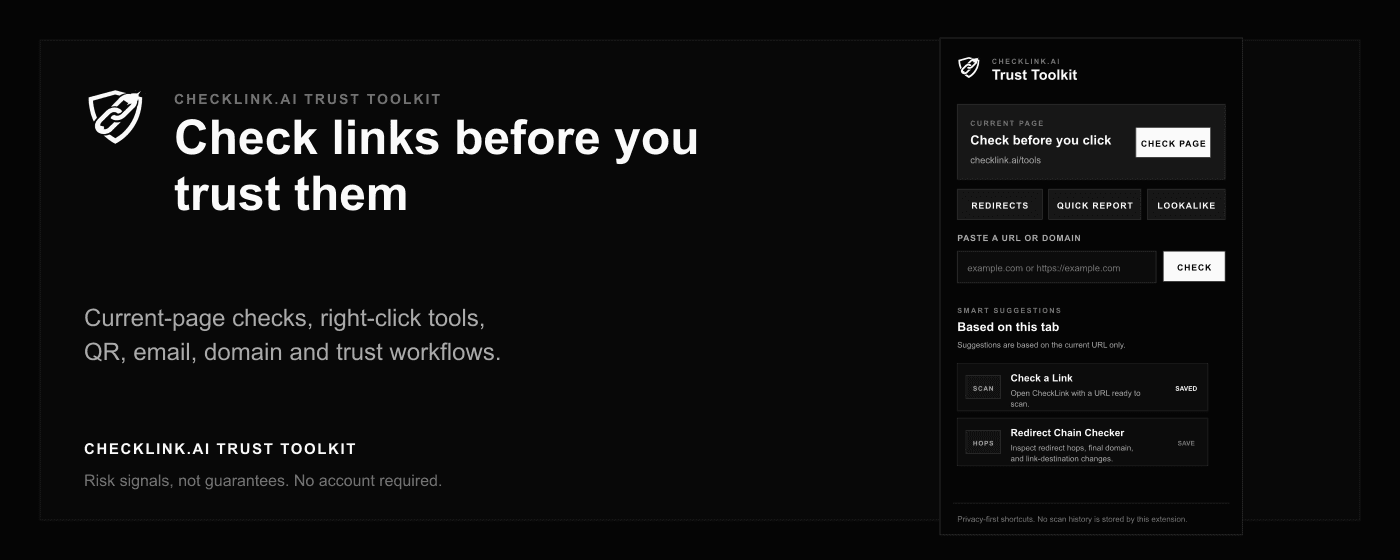
The extension sends a URL only when you choose a scan action. It does not store scan history.
What the extension does
What the extension does not do
- It does not read full page contents.
- It does not store scan history or submitted URLs.
- It does not claim a site is guaranteed safe.
- It does not add checkout, accounts, tracking scripts, or automatic approvals.
Works with Chrome and compatible Chromium-based desktop browsers. Firefox and Safari versions are not currently available.
How it works
CheckLink browser shortcuts are user-initiated. A page URL or link URL is sent to CheckLink only when you choose a scan action.
Favorites and recent tools store only tool IDs and timestamps locally in Chrome storage. The extension keeps the workflow fast without storing scan history.
Chrome Web Store
Available from the Chrome Web Store for Chrome and compatible Chromium-based desktop browsers. Install it now, then use the toolbar button, right-click menu, or keyboard shortcut to open CheckLink tools.
FAQ
Which browsers are supported?
Works with Chrome and compatible Chromium-based desktop browsers. Firefox and Safari versions are not currently available.
Does the extension store URLs or scan results?
No. The extension keeps only local favorites, recent tool IDs, and interface preferences on your device.
What happens when I check the current page?
CheckLink opens with the page URL ready for review. The URL is only used to perform the check you choose.